Showing posts with label Softwares. Show all posts

Thursday, March 17, 2011

2011 LATEST YAHOO MESSENGER

yahoo-messenger-android-iphone-app
The battle of the chat applications is destined to take on a new dimension as an old player makes an appearance in entirely new territory. After much anticipation, yahoo messenger has finally launched its attack against other chat applications such as Qik and Tango by officially joining the list of chat clients on iPhone and also on Android phones. This will definitely be great news to many chat enthusiasts as every big player that joins usually presents a host of other opportunities but it is quite unfortunate for most of the other players in this wildly competitive sector of social networking as yahoo messenger wasn’t planning to come late to the battle brandishing the same old weapons.
FEATURES
It does nobody any good to dwell on the usual stuff as everybody knows what users have been able to do with yahoo messenger in the past. The thing on everyone’s mind has been of course, what NEW things the IM application brings to iPhones and androids. Luckily, it doesn’t disappoint. The cross platform video chat will definitely be thing that will send most users nuts (in a good way). Cross platform means that the video chat won’t just be working between yahoo messenger on phone and android but also any other device running yahoo messenger including webcam equipped P.Cs. Apart from that, the video chat will reportedly work over both 3G and Wi-Fi networks. This is especially good because where you’ll luck either of these you will definitely find the other.
Yahoo-Messenger-iOS-Application

Features included in 1Tb optical discs

tdk-1tb-toshiba-optical-discs
TDK has announced that soon BDXL BLU Ray disc with 1000 GB capacity would be released in this July. The main striking feature with this new device is that it is boasting to have a capacity of 1 TB capacity. The company has revealed small things about this device. It says that the current prototype that it is working upon is having 16 layers. Therefore, This 16 layers are almost 4 times more than the normal blu disc rays that were in last time. This new 16 layer thing has one major things attached with it. It gives out 32 GB on each side. Therefore, it is a good sign of memory storage.
Features included in 1Tb optical discs
The optical discs offer 16 layers and 1 TB capacity. Further, it has the major light transmittance of 72.6% when both the layers are combined. Individually, each layer gives a transmittance of 95.1%. Therefore, this works very well for the device. Everything is so well managed that you can see that on left it has piling of 21 BD Rs that has 50 GB capacity. A 41 BD Rs give 25 GB capacity. Therefore, it has the capacity that each one of them might be replaced one day. There was a range of features that were included in this development. Many of the existing technologies were made to be familiar with those that were used in Blu Ray discs.
tdk-1tb-optical-disc
Main working of the 1 TB optical disc
The main difference between a blu ray disc and that of the 1 Tb optical disc is that former uses 4 layers of recording while latter uses 16 layers of recording. Therefore, this makes each of them capable of 32 GB recording space. There is an optical storage arms and if you keep track of those then you can understand the true nature of optical discs. Keeping track of the optical arms will help you to know that there are 7 giga bytes per layer in comparison to the 400 GB and 500 GB disc achievements that were made in 2008. This has potential advantage.
This 1 TB optical disc is made from material that is made from material found in BDs. It also has some of the beam apertures. Its current version recording layer has measure 260?m. Therefore, this is twice that of the blu ray disc. This helps in aberrations in today’s fat layer heating issues. This thickness of disc may be said to be an issue with it. Now, much more things depend on the commercialisation of this product.
It depends on the plans of disc makers that will help to come out with the new developed version of 1TB optical disc. The announcement of this device has been made long before now we all are just waiting for the upcoming device, as it will help us in many ways that are more technical.

Thursday, January 6, 2011

Jolicloud 1.1 Software Designed with Improved Software

The readers probably still remember the release of Jolibook last month. It is an official netbook of Jolicloud operating system. Jolibook powers Jolicloud 1.0 when it was launched. Now, an updated version, Jolicloud 1.1, is available to download. The software is not only for Jolibook netbook. Netbook or computers with suitable features can benefit from the operating system. The users can expect a variety of improvements in the new version.

Now, the customers can enjoy the benefits of dashboard customization with stunning background, accelerated but simplified access to computer setting, faster sign up using Facebook Connect, and many more. Jolicloud is determined to produce quality computing and affordable desktops and netbook that are otherwise not provided by the traditional players. The difference between Jolicloud 1.0 and Jolicloud 1.1 is that the former deals with interface and new HTML5 launcher, while the latter is designed to improve the system and performance of the products.

The software is built based on the customers’ review on the Jolicloud 1.1 Preview. Some associated issues included the fact that the Dropbox does not fully work; the transmission does not start from the launcher, incomplete virtual machine, incomplete NVIDIA ION support, and some other incomplete hardware accelerations and features. Now, Jolicloud makes sure that the issues have been addressed when Jolicloud 1.1 is formally launched.

Notable Firefox Improvement in Recent Updates

Internet Explorer is still a dominant browser but it’s the gold alternative is Firefox. Firefox is secure, lightning fast and full featured. The browser probably is not the fastest browser in the competition but its killer add-ons’ selection is very strong as well as built in support.

To abreast the current browsing technology, Firefox has made several notable improvements. The improvement is made in addition to the improvements to make the browser render web application more quickly. Another important improvement is to block the software of third party to avoid it encroach the file of Firefox. Support for the Web Open Format is also a notable improvement for a faster loading of non-English Browser users. Firefox also makes improvement to support the File interface, to upload multiple photos, to support fast downloading web pages with downloadable fonts.

As the results of the notable improvements, Firefox can run the scripts asynchronously. This makes it able to load a web page faster by delaying some work until the top –priority tasks are complete. It can isolate plug-ins that is out-of-date so they will not turn to be a security risk. In short, to get all the advantages of the improvements, upgrading your Firefox browser is always highly recommended.

XBMC 10.0 Dharma Is Now Available

An updated version of XMBC open-source and customizable media center has been just announced. The previous version is updated to XBMC 10.0 Dharma. Dharma is available to download for HTPC that is powered by multiple platforms. XBMC makes significant changes in the features, add-on manager, and Apple TV support. It is a great tool for media center PC. Windows, Linux, Mac Users, and even Apple TV users benefit from the media tool.

In addition to upgraded performance, the users are also provided with improvements in the hardware to boost the functionality and appearance of the HTPC (Home Theater PC). The integration of NVIDIA ION 2 or Broadcom HD chips, and supports for Windows 7 touch-screens, ARM processors and OpenGL ES 2.0, all are helpful in accelerating the HTPC performance. With The new add-on manager allows the users to watch favorite YouTube videos, listen to web-based radios, install a web interface, and manage the media.

The Dharma has gone beyond just providing the customers with standard improvements. It provides greater support for a variety of media formats, including new WebM/VP8, which is at the peak of its popularity right now. Improved hardware accelerations allow the XBMC 10.0 Dharma to support Windows Vista/7 and CrystalHD acceleration on a variety of platforms. It also supports Blu-ray playback. The official release of the Dharma is a long-anticipated moment after it was released in beta version several weeks ago.

Ambarella iOne Application Processor

Ambarella is known the producer of smart phone processors. Now, the company extends its line of products to camera processor. It begins with the introduction of iOne, which is based on Ambarella Cortex A9. iOne combines triple ARM cores with the support of advanced media DSP to produce unbeatable image and HD video quality. Ambarella, Inc. announced the availability of the product few days ago in Santa Clara, California.

Ambarella Cortex A9-Based iOne processor works to bring advanced HD camera and multimedia capabilities to the Android platform. It bases the production upon the popularity of Android ecosystem concept. It will be the first to provide the platform for smart camera device with the ability to support HD video recording, seamless internet connection, and powerful applications. iOne also supports live video streaming and video uploading to popular sites, including YouTube. Ambarella presents the processor with multi-format video decoding to enable internet playback.

In terms of architecture, Ambarella iOne processor is built with low-power media applications. It is powered by dual-core 1-GHz ARM CortexTM A9 CPUs, which provide more-than-enough support to run Android applications. There are also 533-MHz ARM-11 to handle real-time camera jobs and camera booting and a powerful 3D graphics engine. It enables the HD camera to process up to 32Mpixel still image and capture 5Mpixel images with an ultra-speed performance.

Green Technology behind Virtu, LucidLogix GPU Virtualization

Almost a year lapses without any peep from the black magic maker, LucidLogix. It seemingly does not want to miss the CES 2011 event. The company makes a comeback with a response to the trending Sandy Bridge platform. Sandy Bridge will make a phenomenal debut when some computer retailers introduce brand-new products supported by the next-generation CPUs. LucidLogix will come with virtualization software that enables AMD and NVIDIA GPUs to interact with Sandy Bridge.

In its press release which was sent on December 29th, 2010 introduced the LucidLogix GPU virtualization software designed for Intel Sandy Bridge platforms. It is aimed at dynamically balancing the advanced power-efficient and built-in media features of the Sandy Bridge processor graphics. It also supports DirectX 11 3D performance features. More interestingly, the software provides the support while maintaining and even reducing power consumption of the traditional entertainment desktops. It drops the heat, slows the fans, and reduces GPU utilization that eventually brings green, power-efficient, and durable system.

LucidLogix calls the GPU virtualization software Virtu. It is targeted at various desktops, ranging from the entry-level to the mainstream PCs equipped with the latest Intel’s Core i3/i5/i7, NVIDIA, or AMD 3D GPUs. The software makes real-time adjustments to the performance, thermal allocation, and feature allocation based on the requirements of the applications. However, the system works only if the users connect the display screen directly to the Sandy Bridge output.

Ultra-Thin Intel 310 mSATA SSD

Ultra-thin laptops are increasingly popular. The laptop retailers are racing to produce thinner and thinner laptop. Bringing the trend in mind, Intel makes another breakthrough by launching ultra-thin SATA solid-state drives. Imagine that the SSD uses less space than a credit card does! The solid-state drive offers 51mm by 30mm by 30mm dimensions. Despite thinner built, the SSD is built with greater performance. The new SSD line is called Intel 310 mSATA SSD.

In terms of performance, Intel 310 mSATA SSD is designed to retain X25-class award-winning performance, with a reading speed of 200MB per second and writing speed of 80MB per second. The SSD is capable of supporting dual-drive notebooks, innovative tablets, or rugged applications. Military apps or industrial apps will benefit from the drive. Yes, in one-eight the size, the SSD offers the users with flexibility, ruggedness, and scalability. It is expected to improve the PC system performance by up to 60 percent.

Furthermore, to enhance the durability and reliability of the SSD, Intel intentionally designs it with no moving parts. So, it is stronger than a mechanical HDD. It uses less power but provides better system sensitivity. The SSD will be the first SSD products to announce by Intel in 2011. Intel 310 mSATA SSD is available for shipping. It is available in two capacity versions. The 40GB version starts at $99; meanwhile the 80GB version starts at $179.

Monday, January 3, 2011

My Experience with Skype


Skype logo is a registered trademark of Skype


I have been a 'Skyper' for the last three days. Talking mainly with my cousin in Sydney which has been really good. I had a bit of experience with Skype recently at work experience at a printing/design place where i sent a file over to my boss to give to a client. That drag and drop file feature is amazing and very useful. I have sent a few pictures to my cousin of my pet dogs and my house and stuff which, not being at my house for about 3 years, was very pleasurable for him.


As well as the send file feature that Skype offers, i have also used Skype to call an actual home phone which was really cool as well, just dial the number (including the area code) in to a phone style keypad on the screen and it rings. I feel that dialing the number would be particularly enjoyable on a touch screen all-in-one computer. Or even an iPod Touch and calling someone like an iPhone.


I have had one problem with Skype, however it isn't really a big deal. Their used to be a show on the Australian pay TV channel Fox8 called The Phone. In this show an unattended phone would ring and when someone answers it the game master takes them on an amazing race style mission after which they will win a cash prize. The phone that they use has a really cool ring tone and i have a copy of it. I decided to use the tone as my Skype video call ringtone. now this is all very easy to do, you just need to go to the options menu and click tones, however it only supports a .WMV sound file and the tone is something else. no matter, i just need to convert it, but i think that its abit strange to just have one file type supported.


I actually have an MSN that i never really use anymore, however after trial and testing Skype, i dont think i will ever go back. If you have friends that live in another city, state or country, do yourself a favor and get Skype!

Microsoft's new experiment: new Windows code name Mojave


I think it is interesting to see how Microsoft is managing a new strategy to clean the face of Windows Vista. What do you think about Mojave experiment?

Wednesday, December 15, 2010

Google to Launch Chrome OS


Google Chrome OS
Internet Giant Google ready to launch its Computer Operating system after successful launching of Web Browser Google chrome. The Chrome lightweight OS designed initially for low-cost note books will offer its program code to developers across the globe and create another ‘open source’ competition for Microsoft and Linux. Google may launch chrome operating system in the second half of 2010. Google assures Speed, Simplicity, security is main features of os and boot-up time of the operating system should be minimum compare to windows, Linux and other operating system. In Google Chrome you shouldn’t deal with security updates, virus and malware. It should be like a TV where you switch it on and voila your programmes start right away. This is really the promise of Google’s operating system, Chrome.

Google chrome will run on Arm and X86 chips and software architecture is simple. For application developer, the web is platform and it support all web application and user can develop new web application and it will run in windows, Linux and off course in Google chrome.

Google are trying to make an operating system that is fine tuned to the browser and supports whatever it needs and trying to marry other stuff to give to the user.

Firefox Launches 3.6 Beta- II


Firefox

Mozilla Firefox released its much awaited browser version 3.6 betas second version after releasing its first beta version code named Namoroka.

Open source browser based on Gecko 1.9.2 web rendering engine .New version contain 190 bug fixes which will improve browser for developers add-on-coder and users. Fire fox claims it improve safety and performance.To add new add ones into mozila firefox add ones should be compatible with 3.6. Its final version expected to launch by the end of year and fire fox 3.7 in first quarter of 2010 and fire fox 4.0 by end of 2010.

New fire fox 3.6 have various features like improves video viewing; integrated personas – browser themes (by applying single click via fire fox Add-ons) and claim an increased performance of java script, browser responsiveness and start time should be minimum. Open source is a key feature of mozilla firefox and it is available for download in 53 different languages for Windows, Linux, Mac and various operating systems.

In testing it perform well than the previous versions of firefox. Firefox is a five year old company and currently hold 25% of market according to Statistics company net application followed by Microsoft which currently occupied around 63.26% market , Apple Safari 4.3
9% and Chrome 3.89%. Firefox also plan for launch for Thunderburd 3 , newest email application which is also open source.

The new Chrome beta offers bookmark syncing, similar to Opera Link service.
Meanwhile, the Fire fox 3.6 beta, incorporates Mozilla’s Personas feature, which lets users customize the look of the browser with the click of a button. It also warns users about out-of-date plug-in , and adds a some of developer-focused capabilities, like more support for open web video, CSS, DOM and HTML5 web technologies, and the Web Open Font Format as well as support for image rendering and multiple background images.


Alexa - a powerful toll


Alexa
Alexa is a website which provides information on traffic level for websites and it’s a co-venture of Amazon. Alexa was established in 1996 by brewsrter kahle and Bruce Gilliat and assures that internet searching would be fine by tracking user decision and use it again for further search.

You have to install toolbar and when toolbar is installed it starts collecting of data on browser behavior. After collecting data it is transmitted to web site where it’s analyzed and stored which is required for company’s website traffic. Alexa include archive of pages as they crawled database of Alexa serve as basis for creation of internet archive. Alexa provide site ranking and particular country traffic and it is based on tracking information of users of its toolbar for IE( Internet Explorer ), from integrated sidebars in fire fox and Netscape. Previous year many user claims they have dramatic change in their ranking after some time alexa announced now it will use more data source beyond toolbar.

Alexa Chart

Alexa launched its redesigned view and new data include:

PAGE VIEWS (per user): It’s a link analysis algorithm which is used by google and patent is assigned to Stanford university. Google assign numerical weight to every web page for purpose of measuring importance of webpage and it is denoted by PR.

BOUNCE RATE: It’s a term used in web analysis. It shows percentage of users who initially come to site but somehow migrate to another webpage of different site bounce rate = total no. of visit viewing one page/total no. of visit.

AVERAGE TIME on site: Its a total average time of users visit our webpage.

BACK LINKS: It’s a incoming link to website or webpage.

TRAFFIC STATS : detail of traffic of your website.

Mozilla's Firefox Shining with its users


Mozilla Firefox
On November 9, 2004, first smile was appeared on members of Mozilla's team when launched its first Internet browse. The luring news sound off on Mozilla FireFox site is that one quarter lacks people are running FireFox browse on their computers. A web metrics company already confirmed One in every four people on the Internet are now using Mozilla's open-source Mozilla FireFox browser. However, tracking machines involving FireFox browser also to visit 40,000 site for client monitoring. There is no need to move eyebrows if it can be said that net application estimated Mozilla FireFox’s share as slightly over 24%.

The statement has been agreed by all experts that competition is increasing with Google chrome.Mozilla FireFox is trying hard to maintain the stardom of itself. As if we take a look on last month report, Chrome's market share outperform Mozilla Firefox's increase for the fourth time in the last year.Mozilla Firefox

If Google browse continue to sustain its growing rate like this it will attains 5% share in march 2010, just six month time a head for Google moving to declare goal. The next objective will be to reach at 10% market share in year of 2011. So, as firefox All set to reach 20% market share as favorite browse for anyone," Dotzler, Director of Community Development, Mozilla Corp., said.

According to latest news Mozilla FireFox accounted 25.1 % of all browsers. As far as other Internet browsers concern Internet explorer led compete with 63.3%, Apple’s safari, Google browse, and opera in that sequence 4.4%,3.9 % and 2.3% respectively.

New Social Search Function by Google


Google Logo
In current world all information is available on Internet and our online life generally depends on contacts. People are more involved in making friends on social networking sites, publish web content on blog , status updates and many other way like tweet. Previously it’s a difficult process to find a right person through Internet. Google labs worked on this and then decided to launch social search functionality which makes Google special in its own way.

Through this service user can easily found their friends blogs or their feed on twitter. If you want to use these service you just need to create account or an open profile with Google that require some personal detail of person. Social search provide functionality of highlighting information posted by our friends and avoid other posts. For searching, you just need to type place suppose you type Delhi, he/she receive a list of friends through social networking sites. If you use GMail (mail service provided by Google), Google will also include your contacts , chat friends, and group. Social search function works fast and it’s available only in English. For the user of google reader it will include the websites which you subscribed on google reader. This will help a lot to find right information. Social Search works quickly, but not in real time. It is currently available only in English. This service will be expected to launch by end of the year.

video

Microsoft Office 2010

Microsoft Office 2010

Microsoft is ready to launch its Application package Office 2010. It’s code named as office 14. It’s a productivity suite and gives you powerful ways to do your work. You can work with multiple persons from different places at a same time using new features.

Microsoft Wordpad 2010: By using this, you can create professional document and access your files anywhere. Creating and managing documents consumes less time and less effort. You can create documents online, store online and then edit document online by using online web browser.

Microsoft Excel 2010: Microsoft Excel 2010 gives you power of analyze, manage and share information. Highlighting and analyzing important data with new tools. It helps you in achieving your goals and gives you the proficiency.

Microsoft PowerPoint 2010: By using Microsoft office, you can create dynamic presentation. New power point gives you improved audio and visual power. You can access your presentation from anywhere through laptop or your smart phone.

Microsoft Outlook 2010: It provides mail inbox with improved e-mail conversation management. It gives you a world class experience in mailing.

Microsoft OneNote 2010: Through this you can share your notes and store them online. You can access and edit your Photographs, Text ,Video whenever you want.

Some other features of Microsoft Office 2010:
microsoft

Publisher 2010
Access® 2010
InfoPath® 2010
Office Communicator 2007 R2
Share Point Workspace 2010
Visio 2010
Office Web Apps
Office Mobile

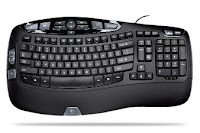
Short key and Shortcuts of Windows


Key Board
Short key and shortcuts are combination of keys which execute command or specific function with in program or operating system. Browser short keys are useful when you surf on net and you need to move cursor again & again. They used special technologies to make short key or shortcut.


Browser Short Keys

Previous page Backspace or Alt + Left Arrow
Switches to last tab Ctrl + 9
Switch to next tab Ctrl + Tab Or Ctrl + Page down
Close pop up/current tab Ctrl+ F4/ Ctrl + W
Open new tab Ctrl + T
Open link in new window Shift + Click A Link
Reopen last tab Ctrl + Shift + T
Refresh F5

General Short Key for Operating System

Open New File Ctrl + N
Close Current Activity Alt + F4
Log out From Window Window + L
Minimize All Window Window + M
Open Start Menu Ctrl + Esc
Switch Between Open Program Alt + Tab
Delete Item Permanently Shift + Delete

Microsoft Office Short Keys

Copy Ctrl + C
Cut Ctrl + X
Paste Ctrl + V
Undo Ctrl + Z
Bold Ctrl + B
Underline Ctrl + V

Function Key

Help F1
Microsoft Window Help Window + F1
Rename F2
New Document in Word Alt + Ctrl + F2
Search F3
Upper Case to Lower Case Shift + F3
Open Find Window F4
Close Current Window Ctrl + F4
Refresh F5
Slide show in PowerPoint F5
Move Cursor to Address bar F6
Spell Checker F7
Thesaurus Check Shift + F7
Window Start Up Menu F8
Open Measurements F9
Menu Bar of Open Application F10
Full Screen F11
Save As F12
Print Ctrl + Shift +F12
Save Shift + F12

11 things about Google Chrome os


Google Logo

Google launched much awaited operating system chrome os but it is a open source code.
Anyone can test and customize it. When Google launch complete version then it will be available on new netbooks with hardware. Chrome os is a new approach to os world or you can say Chrome is an operating system that contains web browser or web browser work as a os.
Google Chrome os
Not Available yet:- on Wednesday Google launches chrome os but its open source development project. It means hardware manufactures and developers can download compile and install code

All Applications are web Application:- All application you use is web application means there are no desktop application but third party application also work if they provide web application. Your current applications CDs are useless with chrome os.

Chrome Browser is part of Chrome os:- Google browser chrome is a part of operating system.
Easy Access to Application: you can add shortcut to website on toolbar. Google tries to launch application as fast as possible. You can add tab and your application a click away.

panel are persistent:- Google chrome allow user to play music in bg (background mode), play video and interact with storage media.
Google Chrome os will be Up-to Date: windows recommended user to turn on their updates but not every user does it. Google chrome automatically updated to new version.

Repair Itself:- As we all know main aspect of Google chrome are speed ,security and simplicity. To achieve security Google use some new technologies like if it detect malware , infection or just a bit, chrome will get an updated version.

Data is Always Secure:- you don’t need to worry about your data. Your data is always stored on cloud.

No Hard-disk:- there is any need of hard drive Google works on OEMS to create reference design. Application launching time will be 3 second and boot-up time will be 7 second.

Not ordinary pc:- Google have concern about small affordable laptops , netbooks and focus on 802.11n connectivity.

Chrome os will work offline:- Google tries to explorer offline capabilities and supporting some kind of offline storage. Games and media files can be run on offline mode that’s Google Promise.

Microsoft Window 7

Window 7 is a new operating system launched by Microsoft Corporation, a series of os launched and developed by Microsoft. On October 22 Microsoft launched Window 7’s final version and its counterpart, window server 2008 R2 released at a same time.

Window 7 is generally focused on incremental upgrade to the window line and fully compatible with hardware and application with which vista is already compatible. Microsoft did not embedded Window Calendar, Window mail, window movie maker and window photo gallery; these applications are previously attached with prior version
Microsoft Logo
. These applications available as a part of free window live essential suite. Microsoft main concern is to make os be more users centric and focused on performance improvements. Company was using various technologies for tracking of performance measures. It is available in both 32 bit and 64 bits. Window 7 is available in 6 different editions - Home Premium, professional, Ultimate. Minimum Hardware Requirement
Architecture 32 bit 64 bit
Processor 1GHz 32 bit processor 1GHz 64 bit processor
Memory(RAM) 1 GB 2 GB
Graphic Card DirectX 9 graphics processor with WDDM driver model 1.0 (For Aero)
HDD free Space 16 GB of available Disk 20 GB of available disk
Screen Shot of Window 7
Window 7 Screenshot

Features:

  • Handwriting recognition
  • Virtual Hard disk
  • Improved performance on Multi core processor
  • Direct Access and kernel improvement
  • Boot Performance
  • XPS Essential and Window power shell included
  • Security
  • Aero Effect

Price:

  • Home Premium –119.99$
  • Professional –199.99$
  • Ultimate - 219.99$

video

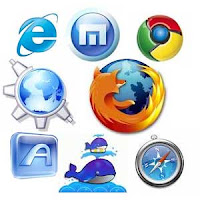
Internet browser


Web browser
Internet browser is a software program for traversing, presenting and retrieving information resources on WWW (World Wide Web). Information resources are identified by Uri (Uniform Resource Identifier) and may be a image, video, web page or other piece of content. Hyperlinks are useful to navigate their browser to related resource which can be an image, video, web page, text etc.

Primary objective of Internet browser to access World Wide Web, but they can also be access private networks or files in file system. This process begins when user inputs a Uri and determines how Uri will be interpreted. Mostly URI started with http (Hyper Text Transfer Protocol) and mostly browser supported it. Some other prefixes are: HTTPS, FTP. For this bowser use various technologies to support all this.

Internet browser can display any kind of content that can be part of web page. Browser required plug-in and java applet to support image, audio, video and flash content. If content of file is unknown browser promote the user to save file to disk. Information resource contains hyperlinks to other information resources. Hyperlinks contain URI(Uniform Resource Identifier) of a resource. When user click on hyperlink browser navigates to the resource indicated by hyperlink and browser brings all content of page. Sometimes Browser is referred to as “Internet Suites”.

Features:

  • Support Wide variety of files formats and protocol
  • Additional component to support e-mail, Usenet news, Internet Relay Chat (IRC)
  • Allow multiple information resources at the same time
  • Multiple browser or Tab
  • Pop-up Blocker
  • Support Flash and Java applet
  • Book-mark facility also called Favorites
  • Built-in Web feed also called live bookmarks
  • Download Plug-in which provide extra features

User interface: All Browsers have user interface element

  • Back and Forward button
  • Refresh and Reload button
  • Stop button to cancel downloading resources
  • Home button
  • Address bar for URI (Uniform Resource Identifier)
  • Search bar
  • Status bar to show progress in loading the resources